
Why Employees Don't Engage With Your LinkedIn Posts (2026)
Why employees rarely like or comment on leadership posts, whether you can share the link in the team chat, and what to set up instead.

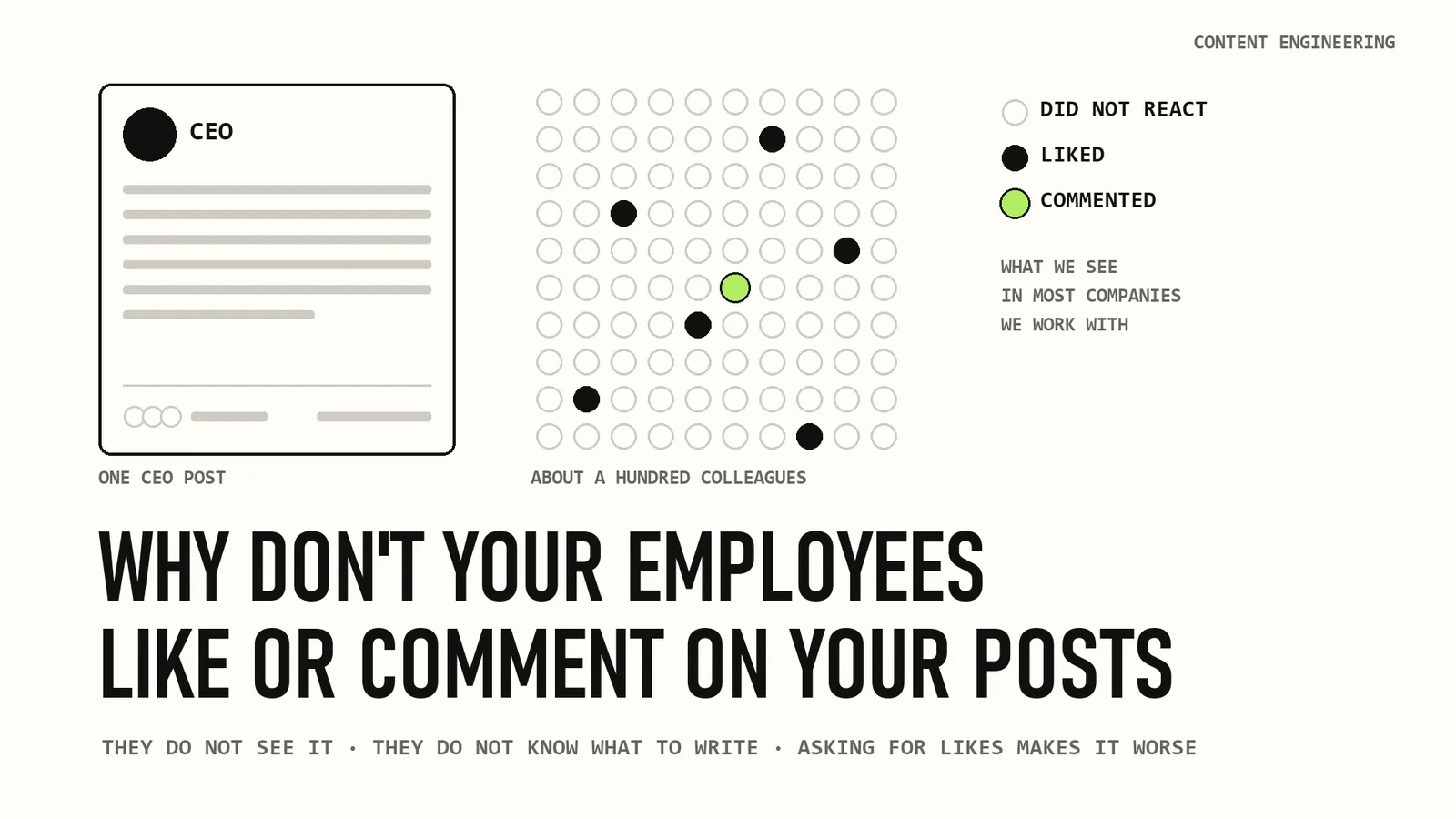
Here is something I see in almost every company we work with. The CEO publishes a post. The head of sales publishes another one. Both are good.
A day later each has a few dozen reactions, mostly from people outside the company. The hundred or so colleagues who could have helped did nothing. Nobody said no. People just did not get to it.
Founders usually see this as a culture problem: the team does not care, or does not think LinkedIn is part of the job. In most companies we look at, that is not the reason. People would help. But LinkedIn makes it hard for them, and the usual way of asking for help does not work.
Below I go through it step by step:
- what a colleague's like or comment gives a post;
- why people rarely do it;
- whether you can share the post in the team chat;
- what to do instead, and how we solved it in our own product, co.actor.
You should finish with a clear idea of what to change in your company next week, with or without our tools.
In this article
- What a colleague's comment gives a post
- Why the team stays quiet
- Can you share the link in the team chat?
- What to do instead
- What a good comment from a colleague looks like
- How we solved this in co.actor
- Where this leaves you
What a colleague's comment gives a post
LinkedIn does not explain in detail how its feed works. What people who work with it every day see, and we are among them, is that a new post is not shown to everyone at once.
LinkedIn first shows it to part of the author's network and watches how people respond. If they stop, read, react and comment, the post goes to more people. If they scroll past, it slows down.
LinkedIn has never said how long this first test lasts. Most people who study the feed say the first 60 to 90 minutes. The exact number matters less than the idea: what happens to a post early on decides how many people see it later.
Colleagues are the people most likely to see the post in that time. They know the author, they work in the same field, and they have a reason to care. A few real comments from them in the first hour give the post a better start than any like from a stranger.
There is a second effect, and fewer people know about it. Every employee has their own network: former colleagues, clients, partners, people they met at events. When they react to a post, LinkedIn can show that post to their network. A LinkedIn spokesperson confirmed this to Fortune:
"Similar to reactions, posts that you comment on can show up in your network's feeds."
I say the same in my talks. More people than the author see the like you give, and some of them may come to you because of it.
So when thirty colleagues react to a CEO's post, the post can appear in thirty different networks. Many of the people in them are exactly who the company sells to. A salesperson knows buyers. An engineer knows the engineers you may want to hire next year.
A comment gives more than a like, because it adds something. Readers see a second opinion under the post, and the author has a reason to reply, so a conversation starts.
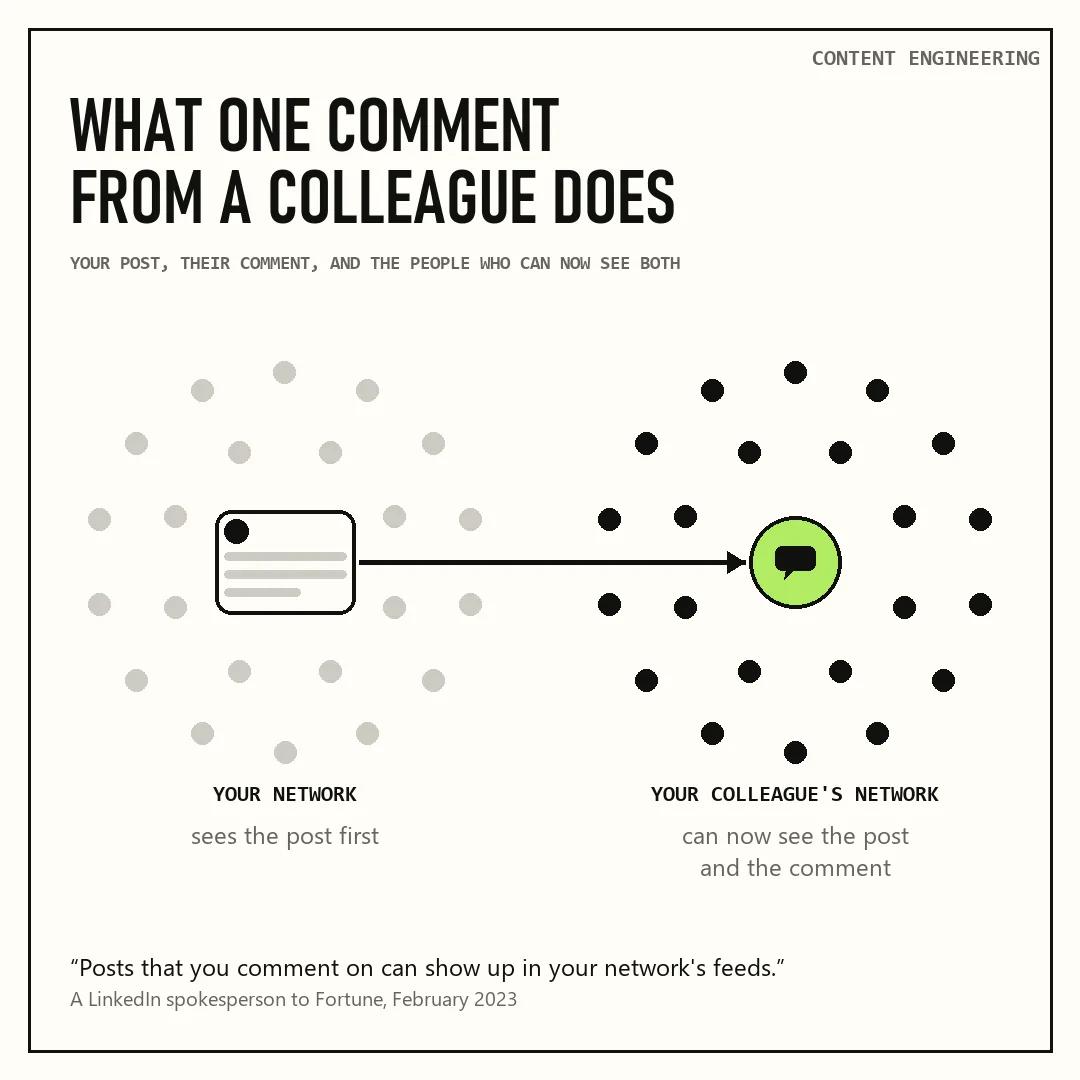
One post, one comment from a colleague, and the colleague's network that can now see both.
Why the team stays quiet
There are more than 100,000 B2B authors in our system, and in most companies we see the same thing. A few people support their leaders every time. Most never do.
This autumn we measured how teams react to their founders' posts at a group of companies. Four out of ten people who supported their founder did it only once in two months, and for every comment from a colleague there were about thirty likes. These are our own numbers.
I see four reasons for this. None of them is that people do not care.
They do not see the post. The LinkedIn feed does not show posts in order. A colleague's new post may reach you tomorrow, or never, depending on what else is in your feed that day.
On one of our own team calls last year, someone complained that colleagues liked their post from the day before and never saw the new one. We do LinkedIn for a living, and we had the same problem.
They do not know what to write. A like feels empty. A comment under the CEO's post, where clients and the whole company can see it, feels risky. A good comment takes time and some courage, and on a normal workday most people have little of both.
LinkedIn is not their place. Salespeople spend a lot of time there, and the CEO's reach helps their pipeline. People in most other roles rarely open it. In the companies we measured, salespeople were about four times more likely than engineers to react to their founder.
If you ask everyone to like every post, you are asking people who do not use LinkedIn to start using it.
Nobody asked in a way that works. Most companies post a link in a chat and ask everyone to like it, every time. On the day someone asks, a wave of likes comes in. Then it stops until the next reminder.
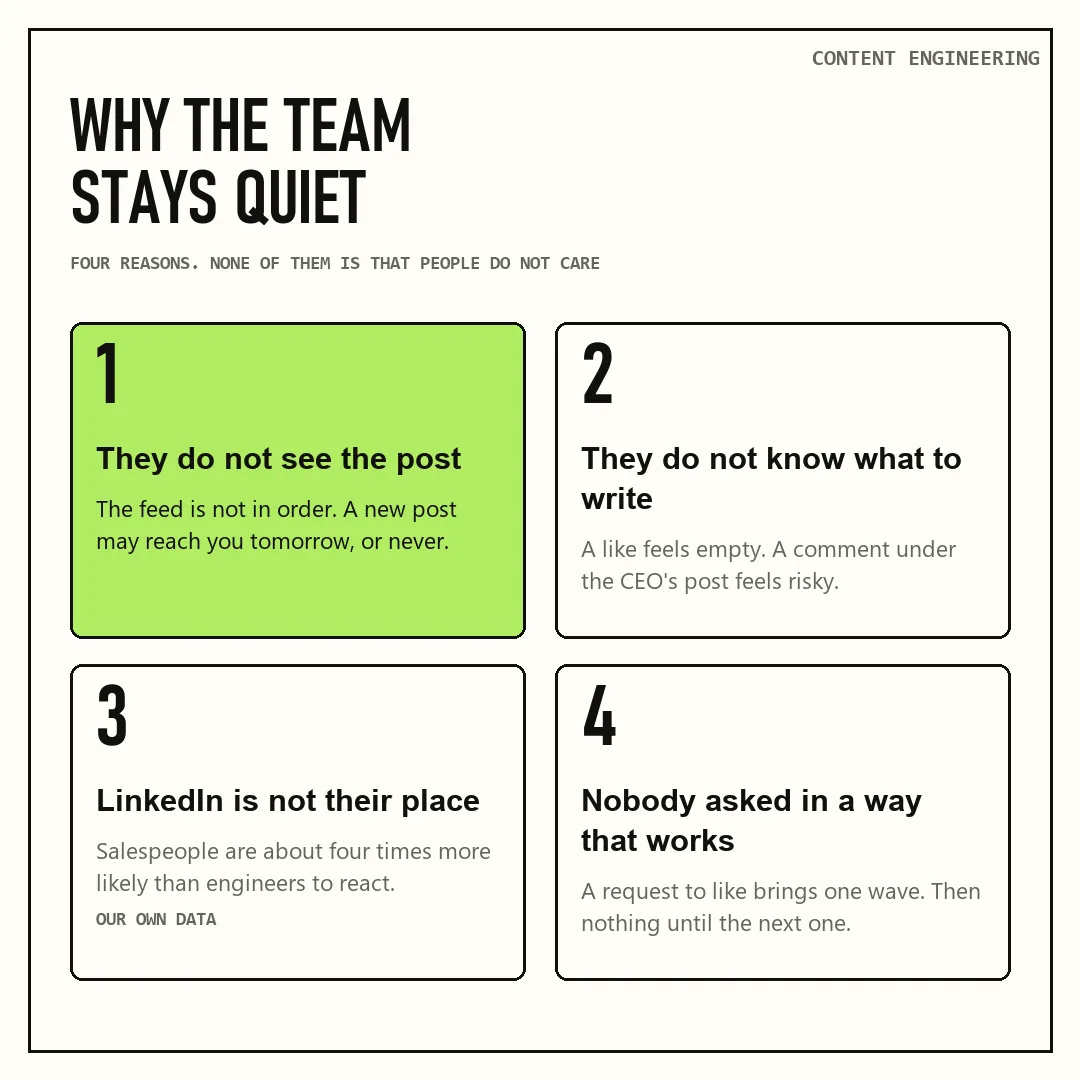
Four reasons colleagues stay quiet under their leaders' posts.
Can you share the link in the team chat?
The usual fix is a channel in the company chat. Someone posts the link and asks everyone to like it.
The short answer: share the link, but do not ask for the likes.
Telling colleagues about a post is fine. LinkedIn even has a button for it: a company page can notify its employees about an important post, and LinkedIn's help pages suggest doing this "to boost organic reach." The button works only for company page posts, yet it shows where LinkedIn stands.
The rule is about agreeing in advance. LinkedIn's Professional Community Policies say:
"Don't agree with others ahead of time to like or re-share each other's content."
LinkedIn calls a group that agrees to like and comment on each other's posts an engagement pod. It says pods are not allowed, and that it limits the reach of this kind of activity.
So the line runs through the message itself. "My new post is out, here it is" tells people the post exists. "Everyone, please like this by noon" is an agreement. A channel where someone checks who liked is a pod, even if everyone means well.
The request also works badly on its own terms. Likes collected on request make weak posts look stronger than they are, and they hide the question that really matters: who outside the company reads you.
A post with forty likes from colleagues looks like a post that worked. If none of those forty people buy from you, it tells you very little.
When people ask me about these chats, my answer is short. They work badly, and they are unstable.
A plain link without a request is better, but it fixes only the first problem: people now see the post. It does not tell them what to write, and it does not make LinkedIn their place.
What to do instead
Five steps, in this order, because each one needs the one before it.
- Leaders post regularly. A team cannot support posts that come out once a quarter. Decide who in the leadership writes and how often, and keep to it for a few months before you judge the results.
- Start with volunteers. Begin with the people who already react without being asked. Every company has a few. Invite others, say clearly that it is fine to say no, and do not check who reacted.
- Tell people when a post goes out. When a colleague publishes, the volunteers find out the same hour. A message in a team channel works, as long as it says the post is out and asks for nothing. A tool can send the notice instead, so nobody has to remember. Since the first hour matters most, it helps to see the post that hour.
- Give each person a draft comment. Each volunteer gets a suggested comment based on the post and on how they usually write. They change it or write their own, and press send themselves. Every word goes out under their name and with their approval.
- People with an audience post too. Some employees already have followers, like a head of a market with a few thousand of them. Their posts reach people the CEO never will. Help them post regularly, and support their posts the same way.
What a good comment from a colleague looks like
Step four is the easiest one to get wrong. Five colleagues writing "Great post!" look like five people who were asked to. A comment helps when it adds one thing the post did not have.
These work well:
- An example from your own work. "We saw this with a client last month: the first version of the report had…" It shows the idea works outside the author's head.
- One number. A figure from your own area that supports the point or makes it sharper.
- A question a reader would ask. The author answers it, and the answer becomes part of the post.
- A polite disagreement on a detail. Colleagues can see things differently. A thread where two people from the same company discuss a point is more interesting than one where everyone agrees.
Two or three sentences are enough. A longer comment starts to read like a second post. And it should sound like the person who wrote it, because the people reading it know that person too.
How we solved this in co.actor
We run LinkedIn programs for B2B companies, and we built part of our product, co.actor, around exactly this problem.
When a colleague publishes a post, co.actor sends you a signal. Next to it, the system suggests a comment based on the post and on the way you usually write, so it sounds like you. You read it, change what you want, and send it in one click. Nothing is sent until you press the button.
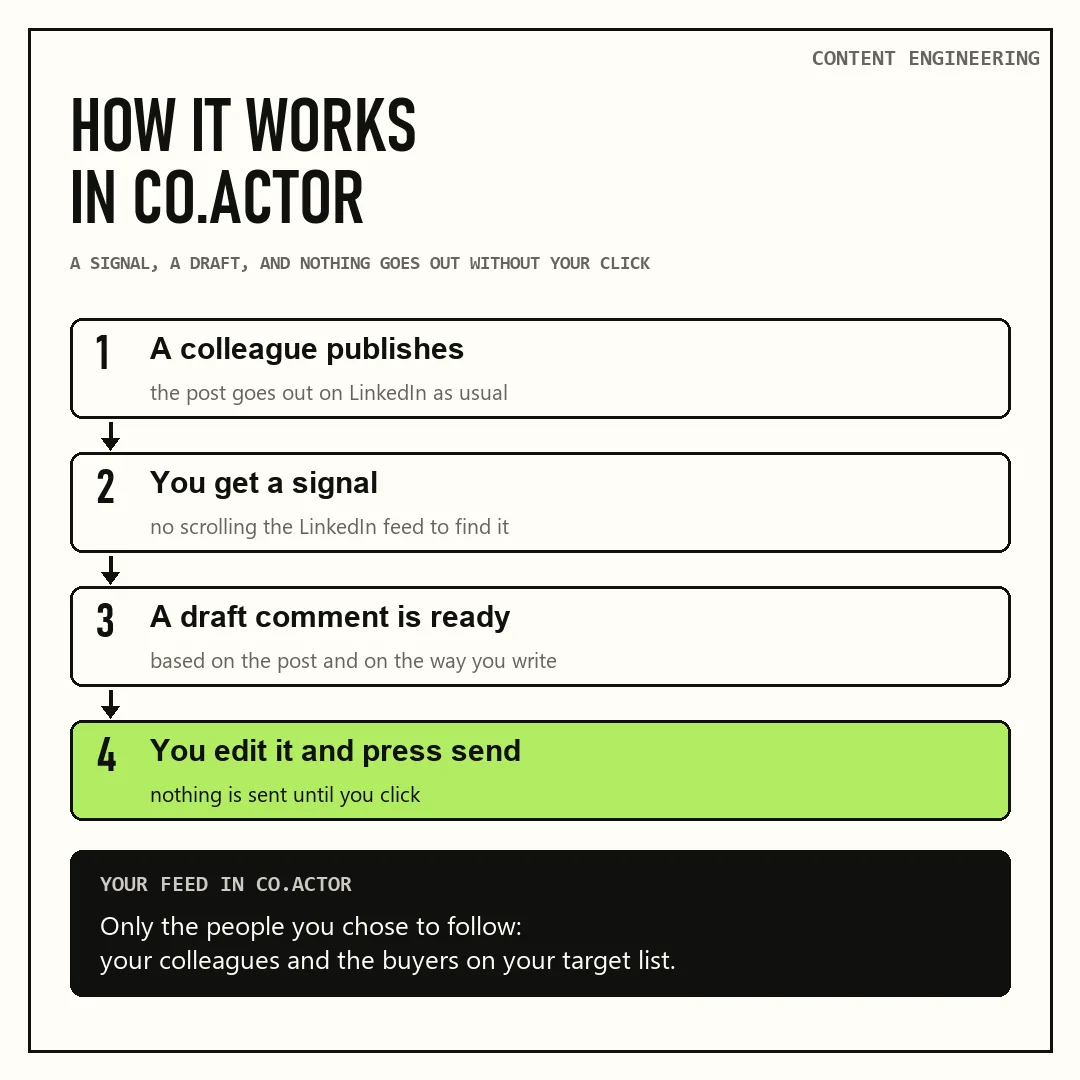
A colleague publishes, you get a signal and a draft, you edit it and send. Nothing goes out without your click.
You also do not have to scroll LinkedIn to find the post. The feed in co.actor shows only the people you chose to follow: your colleagues and the buyers on your target list.
Your colleague's post from twenty minutes ago is at the top, next to posts from the people you sell to. So the few minutes you spend on your colleagues' posts also go to your buyers.
Where this leaves you
When a team does not support its leaders on LinkedIn, the reason is rarely that people do not care. They do not see the posts, and they do not know what to write. Most of them do not spend their day on LinkedIn. And the chat they were given usually asks everyone to like every post, which LinkedIn's rules do not allow.
Tell your team when a post is out, and leave the reaction to them. When people see a post in time and have a draft to start from, more of them help, and you no longer need to send reminders.
If you want to see how this would work in your company, write to me at linkedin.com/in/sbulaev or through cccrafts.ai.
Content Engineering is a newsletter by cccrafts. We build and run content systems for B2B companies.
Serge Bulaev is the CEO and founder of cccrafts, where the team builds and runs content systems for B2B companies. He writes Content Engineering, a newsletter about the data, automations and costs behind content that reaches the right buyers.